The fastest way to understand Gex is to use it. These are working recreations of the core components, rebuilt from the system and wired up with the subtle motion that made them feel good to use. Switch the brand at the top and the same small set of parts restyles live, adopting each brand's real colors and typeface straight from their brand guidelines. That was the entire point. Click, hover, toggle, type.
Showing active policies
Pet Cloud dashboard, policies, and claims all read from the same shell.
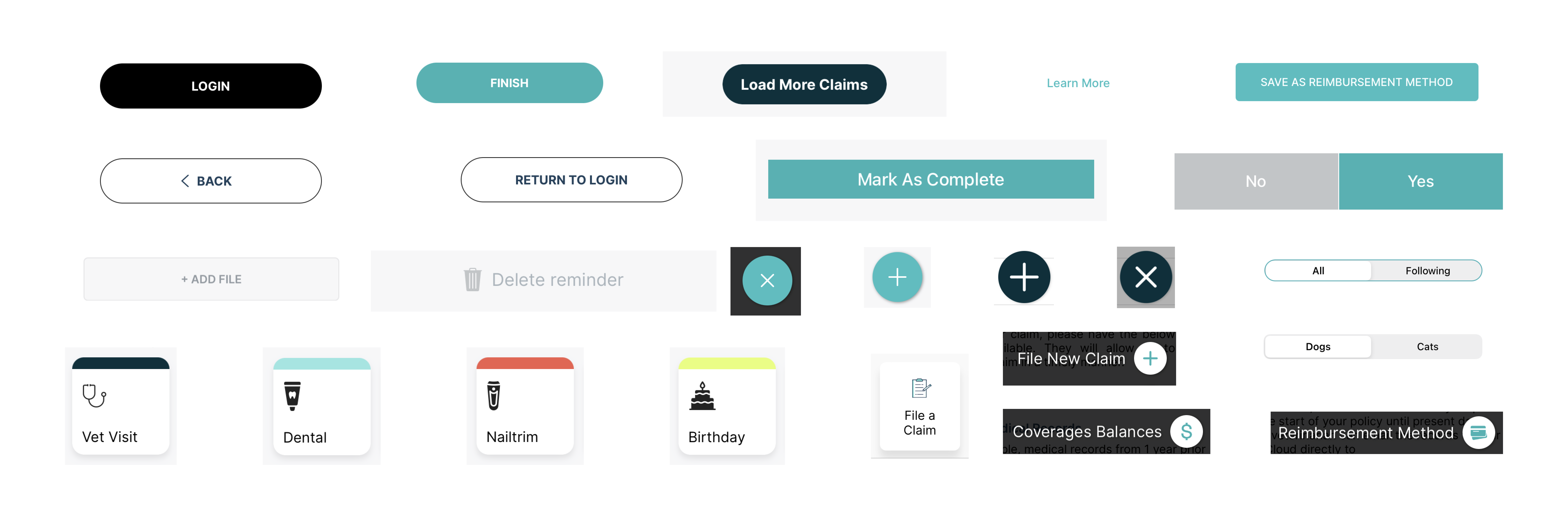
Roughly twenty atomic components, chosen by asking the smallest number of parts needed to build a functional, beautiful app.
The Problem
When I joined IPG as Director of Product Design, there were no design systems in place across any of our products. Pet Cloud, our main app, was originally built to serve a single brand. But IPG is a house of brands, Figo, AKC Pet Insurance, ASPCA Pet Health Insurance, and more, and Pet Cloud was being adopted across that entire ecosystem. One app suddenly had to wear many faces.
That surfaced three hard requirements at once:
- A multi brand foundation. Pet Cloud, quote, enrollment, and policy management all had to serve half a dozen brands from one codebase and one design language.
- Brand agnostic components. Nothing could bake in a single brand's color or voice. Brand had to live in tokens that swapped, while the components underneath stayed identical. That is exactly what the switcher above is doing.
- A lightweight system. We had no dedicated design system engineers and no dedicated design system designers. Whatever we built, a small team had to build and maintain it while still shipping the roadmap.
On top of that, every new page or feature required either a net new design or a copy paste job from previous screens. The result: inconsistencies everywhere, constant custom dev work, wasted time, and mounting frustration from designers and engineers alike.
We needed to simplify.
The Name
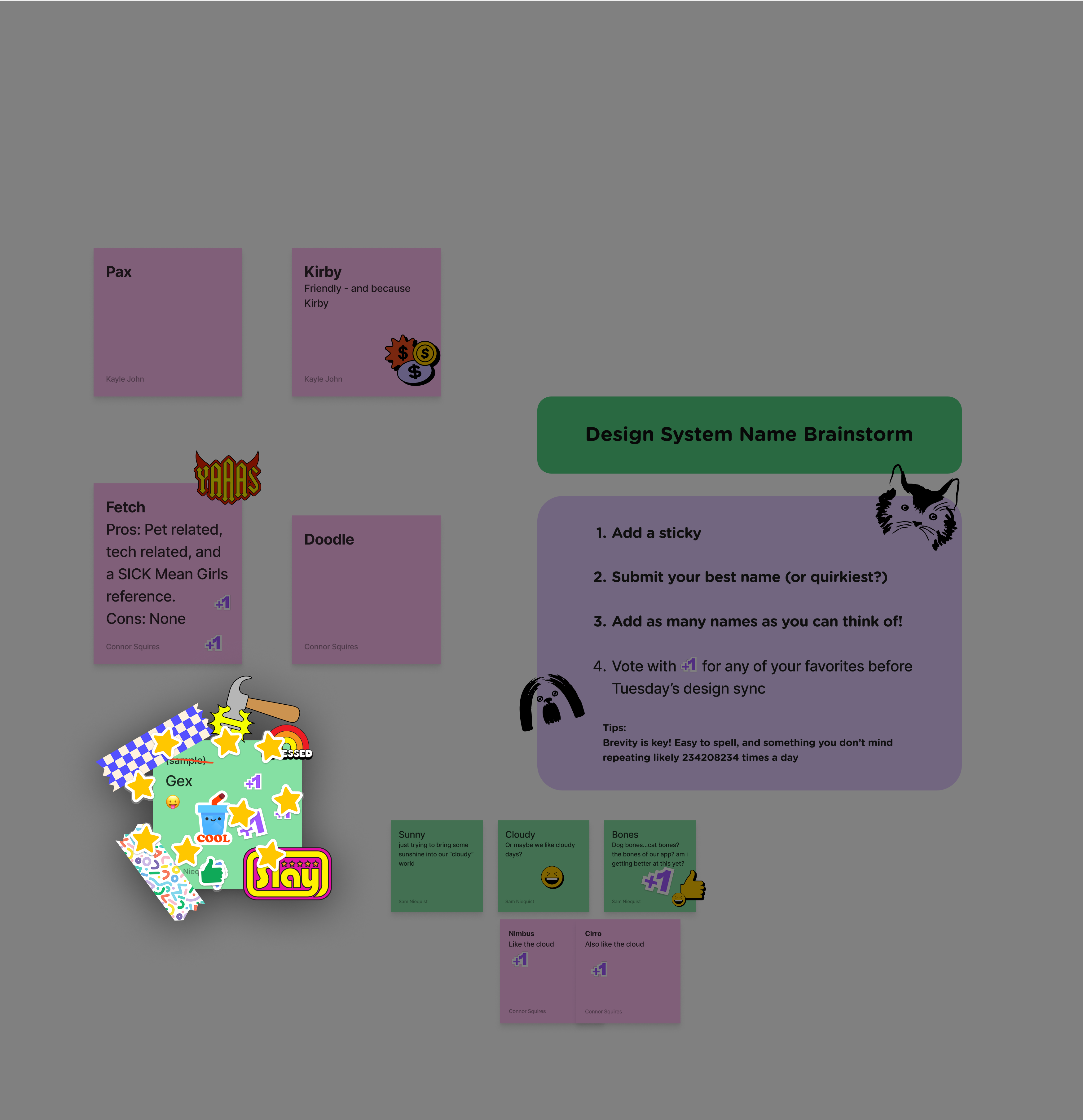
Every good design system has a name. What started as a lighthearted suggestion became something we all loved: Gex, named after the beloved dog of one of our best designers. Simple, memorable, personal. It gave the team a sense of ownership and identity around something that was otherwise all about structure and process. The name stuck.
The Goals
We set out to build a system that was:
- Simple. Minimal, atomic, and practical.
- Brand agnostic. One component set, themed per brand through tokens.
- Consistent. Standardized across teams and brands.
- Scalable. Flexible enough to support growth and change.
- Fast. Dramatically reduce design and development time.
The guiding question throughout: What's the smallest number of components we can use to build a functional, beautiful app?
That exercise got us to roughly 20 core components. We weren't trying to show off. We were relentlessly focused on efficiency.
The Approach
1. Educating the Team
For this to work, we all needed to speak the same language. I led an effort to align the team on design systems fundamentals, enrolling incoming designers in Figma Academy. This built a shared foundation and trust in the toolset from the beginning.
2. Auditing Everything
I kicked off discovery with a full UI component audit covering screenshots, design files, and live examples to surface patterns and problem areas. From there, I worked with the team to define what we actually needed, not just what we had.
3. Defining Principles First
Before touching Figma, I created a set of product design principles to guide the system's architecture. Those principles shaped every decision we made. They've since been adopted more broadly across the org, and you can read more about them in the Product Principles case study.
4. Building in the Open
We designed Gex in Figma over two months, keeping work visible through regular design reviews with engineering and check ins with leadership. I spent significant time pitching the concept internally and securing buy in from our CTO, which made implementation smoother when the time came.
5. Shipping Incrementally
Without a dedicated front end team for system work, I directed a phased rollout tied to the existing roadmap. We replaced legacy UI with system components project by project as we built new features or migrated brands. It wasn't always clean, but it was the most realistic path given our team size and workload.
Brand Agnostic by Design
The hardest constraint turned out to be the most clarifying one. Because Pet Cloud had to serve the whole portfolio, we could not let any brand leak into a component. So we drew a hard line between two kinds of color.
Brand tokens carry identity: the accent, its hover state, its low emphasis tint. These swap when the brand changes. Semantic tokens carry meaning: success green, pending amber, error red. These stay constant everywhere, because a paid policy should read the same whether the page wears Figo teal or AKC navy.
That single split is what let a team with no design system engineers support a house of brands. A new brand was a new set of tokens, not a new set of components. You can feel it in the switcher at the top of this page: one lean library, many identities, zero rebuilds.
Challenges
- Limited resources. We couldn't pull a full team off roadmap work.
- Piecemeal adoption. Engineering had to phase in components gradually.
- Documentation debt. We didn't document enough early on, something we're still improving.
- High design volume. Demand across multiple brands kept the team shipping while the system was still being built.
Outcomes
Gex delivered. The impact was measurable and broad:
- Design and development time for new features dropped dramatically
- Offshore design teams were able to produce high quality, on brand work using Gex without hand holding
- Adoption spread organically across product, marketing, and engineering
The Ripple Effect
Gex didn't just improve Pet Cloud. It reshaped how we approach design across the entire organization.
The clearest proof: our Quote and Enrollment (Q&E) sites, which serve six distinct brands. Historically, redesigns took 6 to 12 months due to layers of compliance review, legal sign off, and cross functional complexity.
By applying Gex's principles to a brand flexible system for Q&E, we cut that timeline to 4 weeks of design and 60 days of development, a 75% reduction. That freed our small team to focus on strategy and innovation instead of execution loops.
Gex became a blueprint. It inspired a more systemized way of working across product, design, and engineering, and showed the business what design can do when it scales with intention.
What I Learned
I expected an efficiency boost. I didn't expect this level of organizational transformation.
What I'm most proud of isn't the component library. It's the internal culture shift. New products are now being spun up by leadership and engineering with design system requirements baked in from day one. People outside design are advocating for consistency and quality.
We created evangelists. That's how I know the work stuck.
Inside the App
And here is where those components ended up: the quote, enrollment, and policy experiences across the brand portfolio, all built on the same small set of parts.
And it all started with a very good dog named Gex.